
Rise of Mobile Workforce Apps: Trends & Implementation
2.7 billion deskless workers represent 80% of the global workforce — yet receive 1% of enterprise software investment. Mobile workforce apps are closing that gap with AI, offline capabilities, and purpose-built field tools.
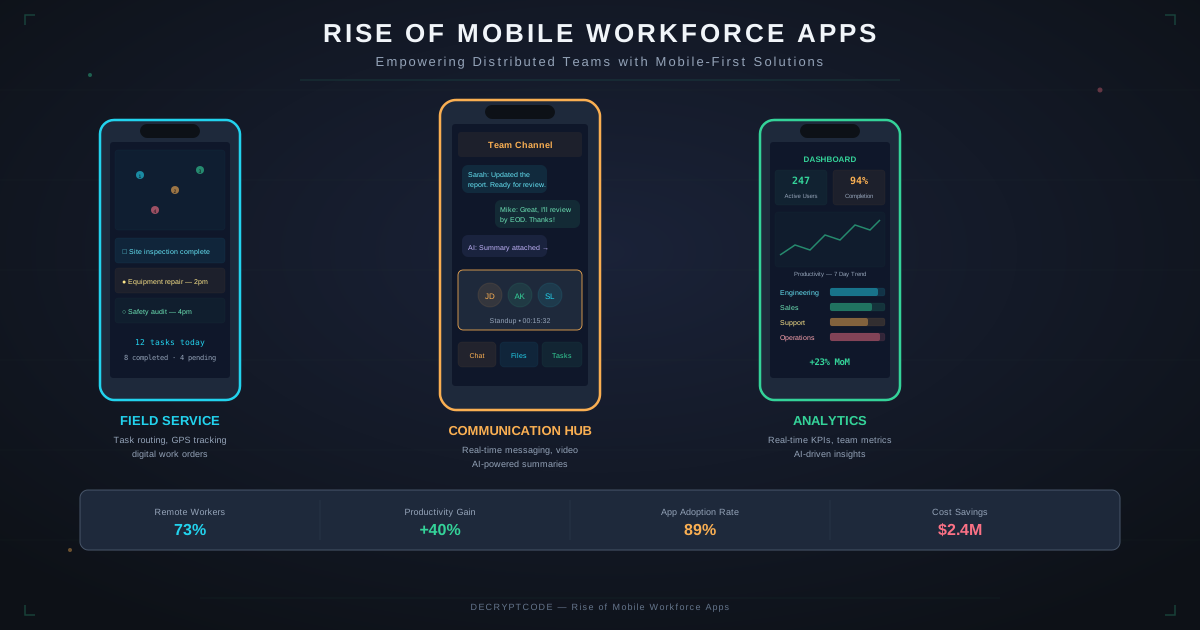
Key Takeaways
- 80% of the global workforce is deskless — mobile is their primary computing platform
- Workforce apps reduce paper processes by 90%+ and improve task completion rates by 40-60%
- AI features (voice-to-text, smart routing, predictive maintenance) are transforming field productivity
- Offline-first architecture is non-negotiable for field workers
- User adoption is the #1 success factor — apps must be simpler than the processes they replace
The Deskless Opportunity
The disconnect is massive: enterprises spend billions on SaaS tools for desk workers but have barely digitized frontline operations. Field technicians still carry clipboards. Delivery drivers call dispatch. Nurses write on paper charts. The mobile workforce app market addresses this gap.
| Segment | Deskless Workers | Digital Maturity | Opportunity |
|---|---|---|---|
| Healthcare | ~59M (US) | Medium — EHR adoption but mobile lags | Mobile-first clinical workflows, patient communication |
| Manufacturing | ~15M (US) | Low — paper-heavy floor operations | Digital work instructions, quality inspections, IoT monitoring |
| Logistics | ~7M (US) | Medium — some route optimization | Offline delivery, proof of delivery, fleet management |
| Construction | ~8M (US) | Low — most processes manual | Safety inspections, time tracking, blueprints access |
| Retail | ~16M (US) | Medium — POS but limited mobility | Inventory lookup, clienteling, task management |
| Utilities | ~1.5M (US) | Low-Medium — legacy systems | Field inspections, asset management, GPS routing |
Industry Use Cases
Healthcare
Mobile apps for nurses, home health aides, and traveling clinicians. Key features: EHR access at bedside, medication barcode scanning, wound photo documentation, secure messaging. See our EHR integration guide.
Logistics & Fleet
Route optimization, proof of delivery with photo/signature, vehicle inspections, load management. Our fleet management case study shows 78% fewer missed deliveries with offline-first design.
Field Service
Work order management, parts inventory lookup, repair documentation, customer signatures. AI features: predictive maintenance alerts, knowledge base search, augmented reality repair guides.
Insurance
Claims inspection apps with photo capture, damage assessment using AI vision, policy lookup, digital forms. See our insurance claims case study achieving 94% complete submissions.
Construction
Safety inspection checklists, time and attendance, blueprint/plan access, daily progress reports, weather-aware scheduling.
Essential Features
| Feature Category | Must-Have Features | AI-Enhanced Version |
|---|---|---|
| Data capture | Forms, checklists, photo capture | Voice-to-text, auto-fill, smart defaults |
| Communication | Messaging, push alerts, announcements | Priority routing, auto-translation, summarization |
| Navigation | GPS, maps, directions | Optimized routing, traffic prediction, geofencing |
| Documentation | PDF viewing, photo annotation | OCR, document search, AR overlays |
| Scheduling | Calendar, time tracking, shift management | Predictive scheduling, auto-assignment |
| Scanning | Barcode, QR code, NFC | Object recognition, damage assessment |
| Offline | Local data access, queued submissions | On-device AI inference, local recommendations |
For technical architecture decisions, see our enterprise mobile architecture guide.
AI for Frontline Workers
AI features must be genuinely useful to field workers — not tech demos:
Proven AI Use Cases for Field Workers
- Voice-to-text for field notes: Technicians speak notes instead of typing — 5x faster documentation. On-device speech recognition works offline.
- Photo-based damage assessment: Insurance adjusters photograph vehicle damage; AI classifies severity and estimates repair costs. See AR and mobile apps.
- Smart routing: AI optimizes multi-stop routes based on traffic, priorities, and time windows. Reduced drive time by 20-30%.
- Predictive maintenance alerts: IoT sensors + ML models predict equipment failures. Technicians receive proactive work orders.
- Knowledge assistant: On-device or cloud AI that answers technical questions. "What's the torque spec for this valve?" — without searching manuals.
- Auto-fill from context: AI pre-populates form fields based on location (nearest asset), time (shift context), and history (past entries for this asset).
Driving Adoption
Field worker app adoption fails when the app is harder to use than the paper process it replaces. Key adoption strategies:
- 5-second rule: Any common action should take less than 5 seconds. Fewer taps, less typing, more automation.
- Thumb-friendly design: Workers hold phones with one hand. Essential actions in the bottom thumb zone. Large touch targets (48px minimum).
- Glove-compatible: Field workers often wear gloves. Design for imprecise touches, add voice commands, use hardware buttons where possible.
- Daylight visibility: High contrast, large text, no light-on-light color schemes. Test in direct sunlight.
- Training in 10 minutes: If the app needs more than 10 minutes of training, simplify it.
- Champion program: Identify 1-2 tech-comfortable workers per crew/shift. Train them first and let them help peers.
Technical Architecture
- Offline-first: Local database (SQLite/Realm) with background sync. See our offline-first development guide.
- Cross-platform: React Native or KMP for shared logic across iOS and Android. Field workers use mixed devices. See framework comparison.
- MDM integration: Support for enterprise Mobile Device Management (Intune, Jamf, VMware Workspace ONE) for deployment, security policies, and remote management.
- Backend integration: REST/GraphQL APIs connecting to ERP (SAP, Oracle), CRM (Salesforce), EHR (Epic, Cerner), and other enterprise systems.
- Push infrastructure: Reliable push notifications for urgent work orders, safety alerts, and schedule changes. Support for priority channels.
ROI & Metrics
| Metric | Before Mobile App | After Mobile App | Improvement |
|---|---|---|---|
| Task completion rate | 60-70% | 90-95% | +35-40% |
| Data entry errors | 15-25% | 2-5% | -80% |
| Time to complete inspection | 45-60 min (paper) | 15-25 min (digital) | -55% |
| Reporting turnaround | 2-5 days | Real-time | -95% |
| Drive time (optimized routing) | Baseline | 20-30% less | -25% |
| Paper/printing costs | $50K-$200K/year | Near zero | -95% |
Payback period for most workforce app deployments is 6-12 months. For ROI calculation methodology, see our AI automation ROI calculator.
Frequently Asked Questions
What is a mobile workforce app?
A purpose-built mobile app for deskless/frontline workers such as field technicians, drivers, healthcare workers, and construction crews. It digitizes paper processes with offline support, forms, communication, and GPS.
How many workers are deskless?
~2.7 billion globally (80% of workforce). Only 1% of enterprise software spending has historically targeted these workers, creating a massive opportunity.
What features do mobile workforce apps need?
Offline data access, mobile forms, GPS, photo capture, real-time communication, push notifications, digital signatures, barcode scanning, time tracking, and backend integration. AI features like voice-to-text and smart routing are increasingly standard.
Empower Your Frontline Teams
From field service to logistics — we build mobile apps that make deskless workers more productive.
Discuss Your Workforce App