
AR and Mobile Apps: Building Augmented Reality Experiences
Augmented reality has moved from novelty to utility. This guide covers AR frameworks, enterprise use cases, implementation patterns, and practical advice for building AR-powered mobile apps in 2026.
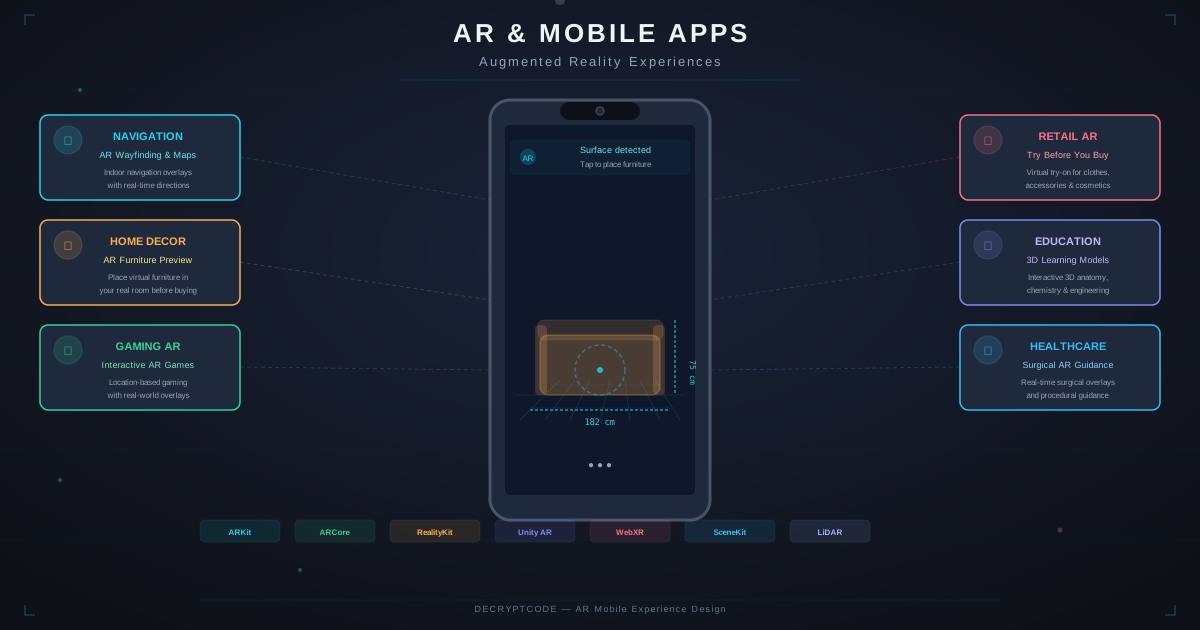
Key Takeaways
- ARKit 7 and ARCore 2.0 deliver production-grade AR on 90%+ of modern smartphones
- Enterprise AR — training, maintenance, remote assistance — delivers 2-5x ROI over traditional methods
- AI + AR (real-time object recognition, spatial understanding) is the highest-value combination
- Native AR frameworks outperform cross-platform for complex AR experiences
- AR development costs $25K-$300K+ depending on complexity; 3D asset creation is often the largest variable
State of Mobile AR in 2026
Mobile AR has matured from filter-based entertainment to enterprise-grade tooling. Three shifts made this possible:
- Hardware maturity: LiDAR on iPhone Pro/iPad, depth sensors on Android flagships, Neural Engine and NNAPI for real-time ML. Even mid-range phones handle basic AR smoothly.
- Framework stability: ARKit 7 and ARCore 2.0 provide reliable plane detection, image tracking, face tracking, body tracking, object occlusion, and scene understanding. These have been refined over 8+ iterations.
- AI integration: On-device ML enables real-time object recognition, text detection, and spatial understanding within AR scenes. See edge AI guide for on-device ML capabilities.
The market reflects this maturity: enterprise AR applications grew 45% in 2025, with manufacturing, healthcare, and retail leading adoption.
AR Frameworks Compared
| Framework | Platform | Strengths | Limitations |
|---|---|---|---|
| ARKit 7 | iOS only | Best tracking, LiDAR support, Object Capture, RealityKit rendering, Apple Vision Pro pathway | iOS-only, requires A12+ chip |
| ARCore 2.0 | Android | Wide device support, Cloud Anchors, Geospatial API, Scene Semantics | Performance varies by device, no LiDAR equivalent on most phones |
| Unity AR Foundation | Cross-platform | Single codebase, rich 3D rendering, game-engine power | Large app size (+80-150MB), complexity overhead, licensing costs |
| 8th Wall / WebXR | Web (cross-platform) | No app install, instant access, easy sharing | Limited features vs native, performance constraints, browser dependency |
| RealityKit | iOS only | Optimized for Apple Silicon, declarative API, physics, spatial audio | iOS-only, learning curve for non-3D developers |
ARKit vs ARCore Feature Matrix
| Capability | ARKit 7 | ARCore 2.0 |
|---|---|---|
| Plane detection | Horizontal + Vertical | Horizontal + Vertical |
| Image tracking | Up to 100 images, simultaneous | Up to 20 images, augmented |
| Face tracking | 52 blend shapes | 468 landmarks |
| Body tracking | Full skeleton (3D) | Limited (via ML Kit) |
| LiDAR / Depth | Scene Depth, Object Occlusion | Depth API (ToF sensors) |
| Object Capture | Photogrammetry → USDZ | Not built in |
| Cloud Anchors | Via ARCore SDK | Native Cloud Anchors |
| Geospatial | Location Anchors | Geospatial API (VPS) |
Recommendation: Use native frameworks (ARKit + ARCore) for production apps. Unity AR Foundation when you need cross-platform with 3D game-engine capabilities. WebXR for marketing and activation campaigns where app installation is a barrier.
Enterprise Use Cases
1. Manufacturing & Maintenance
AR overlays assembly instructions, maintenance procedures, and diagnostic data onto physical equipment. Technicians see step-by-step guidance anchored to the actual machine. Results: 30-50% faster task completion, 90% reduction in errors.
2. Healthcare Training
Medical schools and healthcare organizations use AR for anatomy visualization, surgical planning, and procedure training. 3D anatomical models overlaid on physical space provide spatial understanding that 2D textbooks cannot.
3. Remote Assistance
Field workers share their camera view with remote experts who annotate AR markers in real space — drawing arrows, highlighting components, placing instructional labels that stick to physical objects. Reduces expert travel by 60-80%.
4. Retail & E-Commerce
Product visualization: furniture placement (IKEA Place model), virtual try-on (eyewear, cosmetics, clothing), car configuration. AR reduces return rates by 25-35% for furniture and home décor categories.
5. Real Estate & Architecture
Virtual staging of empty properties, architectural visualization of planned renovations, and construction progress tracking. AR reduces decision-making time for property buyers by 40%.
6. Insurance Claims
AR-guided damage documentation with AI-powered assessment. Camera captures damage, AR guides the user to photograph from required angles, on-device ML estimates repair costs. Accelerates claims by 3-5x.
AI + AR: The High-Value Combination
The most impactful AR features combine spatial computing with AI:
- Real-time object recognition: Core ML / TensorFlow Lite models identify objects in the camera feed. AR overlays contextual information (product details, maintenance history, safety warnings) on recognized objects.
- Spatial understanding: Scene semantics classify surfaces (floor, wall, ceiling, furniture) for intelligent object placement. AI predicts depth and occlusion without LiDAR hardware.
- Text recognition + translation: On-device OCR reads text in the real world; LLM translates or provides context. Useful for maintenance manuals, signage, and documentation.
- Generative AI in AR: Generate 3D objects from text prompts or 2D images, then place them in AR space. Apple's Object Capture and emerging diffusion-based 3D generation enable this.
- Conversational AR: Voice-controlled AR with AI agent integration — "show me the nearest fire extinguisher" triggers AR navigation to the object.
See our Core ML vs TensorFlow Lite comparison for implementing on-device ML alongside AR.
Architecture Patterns
Basic AR Architecture
Camera Feed → AR Session (pose estimation, plane detection)
           → Scene Understanding (surface classification)
           → Virtual Content Rendering (3D models, overlays)
           → Compositing (virtual + real camera feed)
           → Display
AI-Enhanced AR Architecture
Camera Feed → AR Session (tracking, anchors)
           → ML Pipeline (object detection, classification)
           → Content Manager (matches objects → AR content)
           → Cloud Sync (shared anchors, asset loading)
           → Rendering (RealityKit / SceneView)
           → Display
Key Architecture Decisions
- Asset delivery: Bundle critical 3D assets (fast loading) vs. download on demand (smaller app size). Use USDZ (iOS) and GLB/glTF (Android).
- Anchor persistence: Local anchors (single session) vs. Cloud Anchors (cross-device, cross-session). Cloud Anchors enable collaborative AR.
- ML model hosting: On-device for real-time (<30ms inference). Server-side for complex models with AR streaming results back.
- Offline support: Pre-cache 3D assets and ML models for field use without connectivity. Critical for manufacturing and construction.
Performance Optimization
AR apps must maintain 60fps (ideally 120fps on ProMotion displays) while running camera, tracking, ML inference, and 3D rendering simultaneously:
- 3D model optimization: Keep polygon count under 100K for real-time rendering. Use LOD (Level of Detail) — high detail close, low detail far. Compress textures (ASTC format).
- ML model optimization: Use quantized models (INT8) for on-device inference. Target <15ms per frame for real-time detection.
- Thermal management: AR is CPU/GPU intensive. Implement thermal throttling — reduce rendering quality if device heats up. Limit AR sessions to 15-20 minutes for intensive experiences.
- Battery: AR drains 2-3x faster than standard apps. Show battery warnings. Enable "lite mode" that reduces tracking frequency.
- Memory: 3D assets consume significant RAM. Preload only visible assets. Implement aggressive unloading of off-screen content.
Cost & Planning
| Complexity | Development Cost | 3D Assets | Timeline |
|---|---|---|---|
| Basic (placement, overlays) | $25K-$50K | $5K-$15K | 2-3 months |
| Medium (interaction, multi-surface, tracking) | $50K-$120K | $15K-$40K | 3-5 months |
| Advanced (AI + AR, collaborative, cloud) | $120K-$300K+ | $30K-$80K+ | 5-10 months |
3D asset creation is often the largest variable cost. Options: professional 3D modeling ($500-$5K per object), photogrammetry / Object Capture (lower cost, requires physical objects), AI-generated 3D (emerging, lower quality but rapidly improving).
For full mobile app development cost breakdown, see our comprehensive guide.
Frequently Asked Questions
Is AR ready for enterprise mobile apps?
Yes. ARKit and ARCore are mature, LiDAR enables precise depth mapping, and enterprise AR delivers measurable ROI across manufacturing, healthcare, and retail.
How much does it cost to add AR to a mobile app?
Basic overlays: $25K-$50K. Medium complexity: $50K-$120K. Advanced AI + AR: $120K-$300K+. 3D asset creation is typically 20-30% of total AR cost.
Should I use native AR or cross-platform?
Native (ARKit/ARCore) for the best performance and latest features. Unity AR Foundation for cross-platform with 3D game-engine power. WebXR for no-install marketing campaigns.
Build AR-Powered Apps
From concept to App Store — our team builds production AR experiences for iOS and Android.
Discuss Your AR Project